
Post. Approve. Track.
From the yard, not the desk.
The whole job in your pocket. Type a VIN to post a truck, attach the DOT inspection while you are still standing next to it, take the right carrier offer in one tap, and follow the move home on a live map.
- Free to download
- Same account as the website
- Built for one hand
See it run
Post a truck, clear the paperwork, take the offer, watch it move.
Four jobs, done standing up
Everything a lister does between posting a unit and watching it arrive.
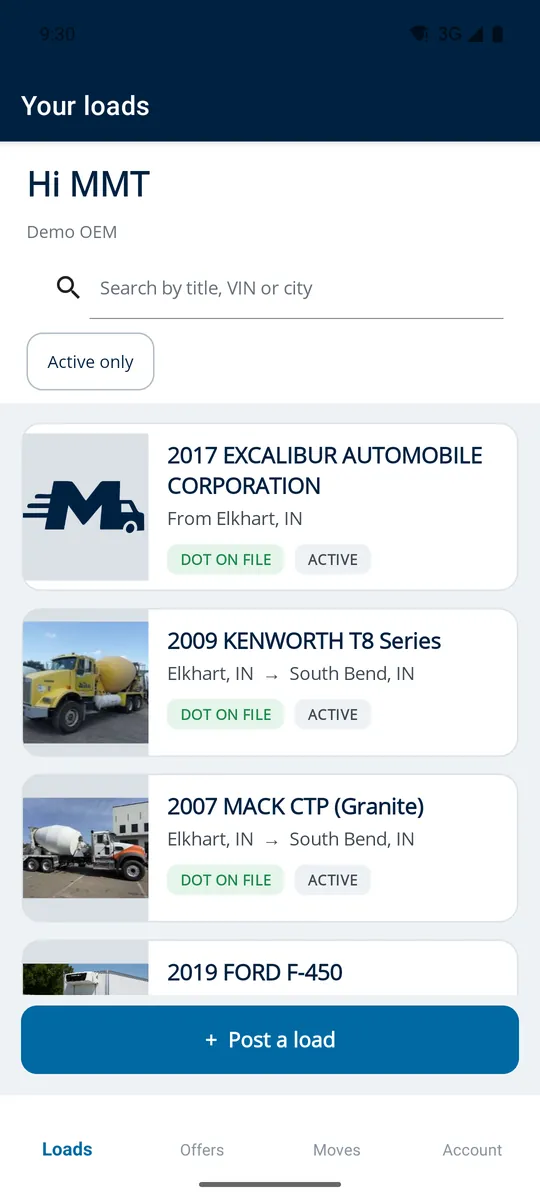
Type the VIN. That is the form.
- Year, make, model, weights, axles and brake system fill themselves in
- Photos straight from the camera — the first becomes the cover carriers see
- Pickup, delivery, contacts and dates in one pass
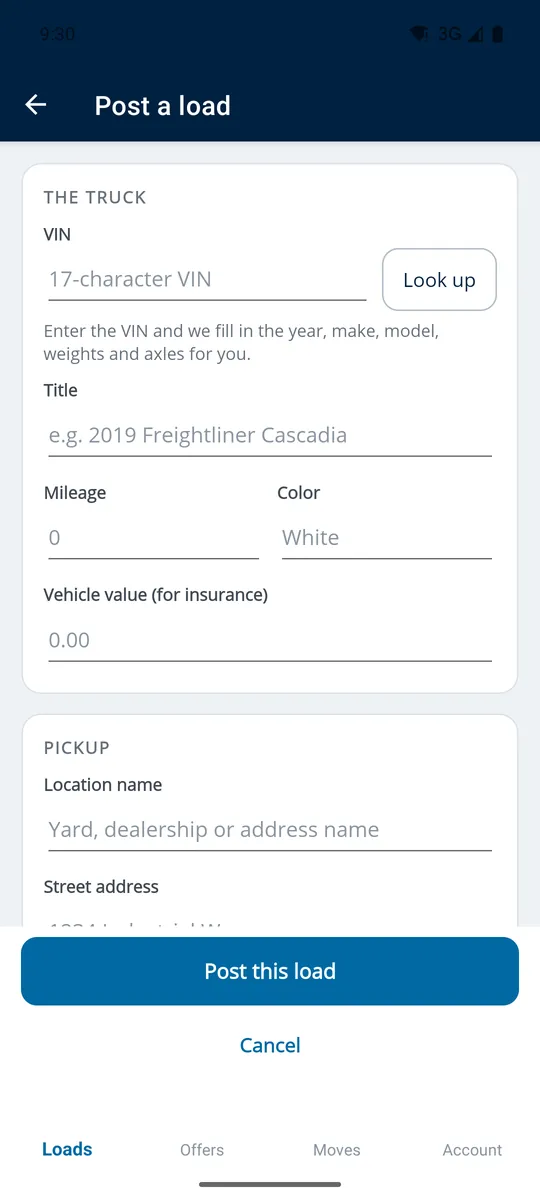
The DOT inspection, handled in the yard.
- Attach the inspection as a PDF straight from your phone
- See at a glance which loads have their paperwork on file
- No trip back to the desk to scan a document
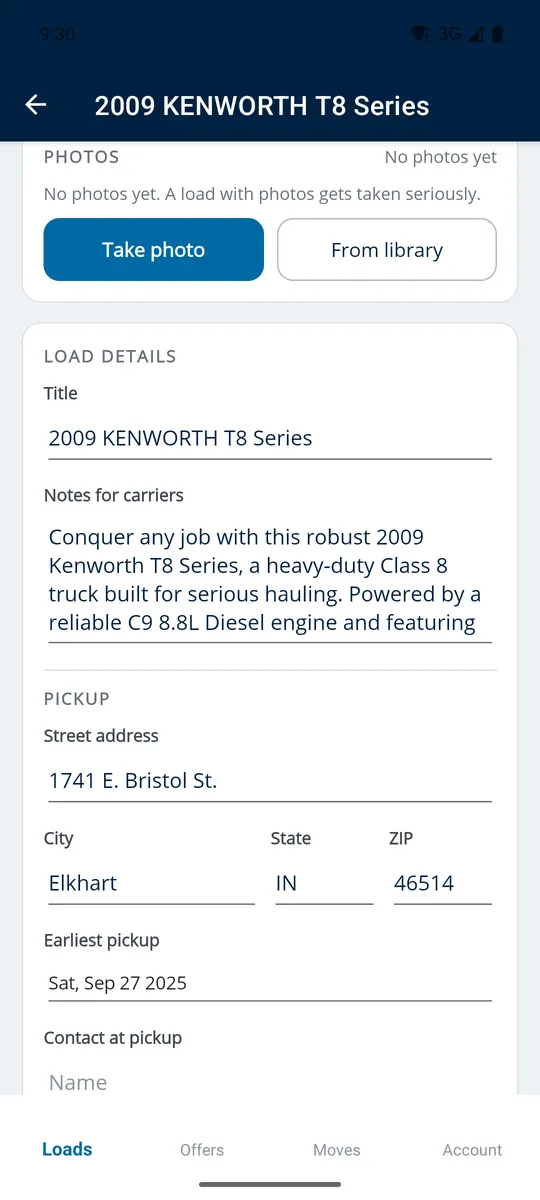
Every offer, one list, one tap.
- Every offer on every load in a single place
- Accept, counter or decline in one tap
- Accepting books the move and notifies the carrier straight away
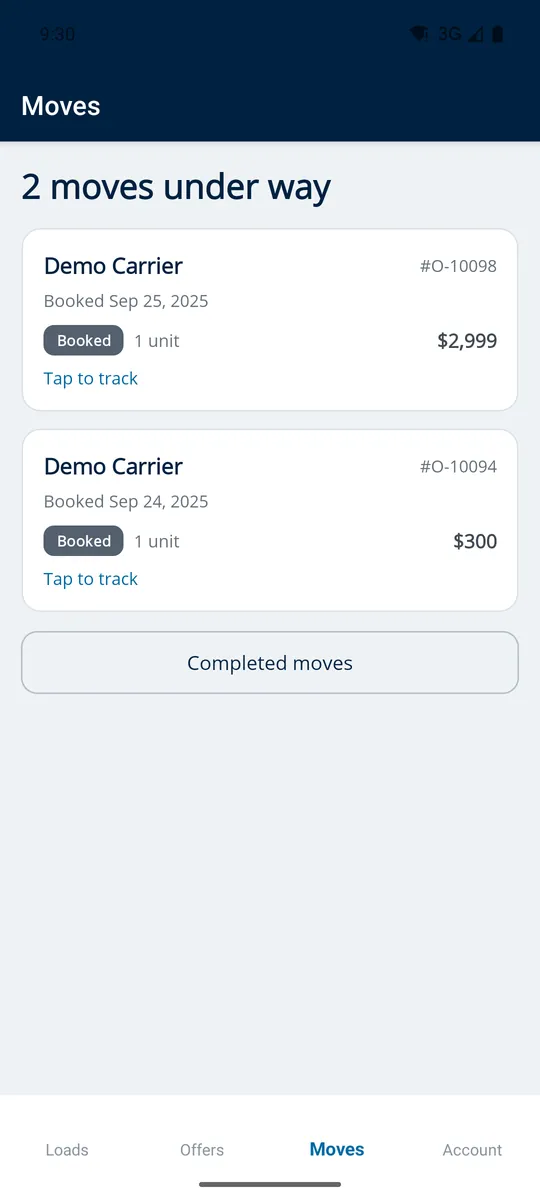
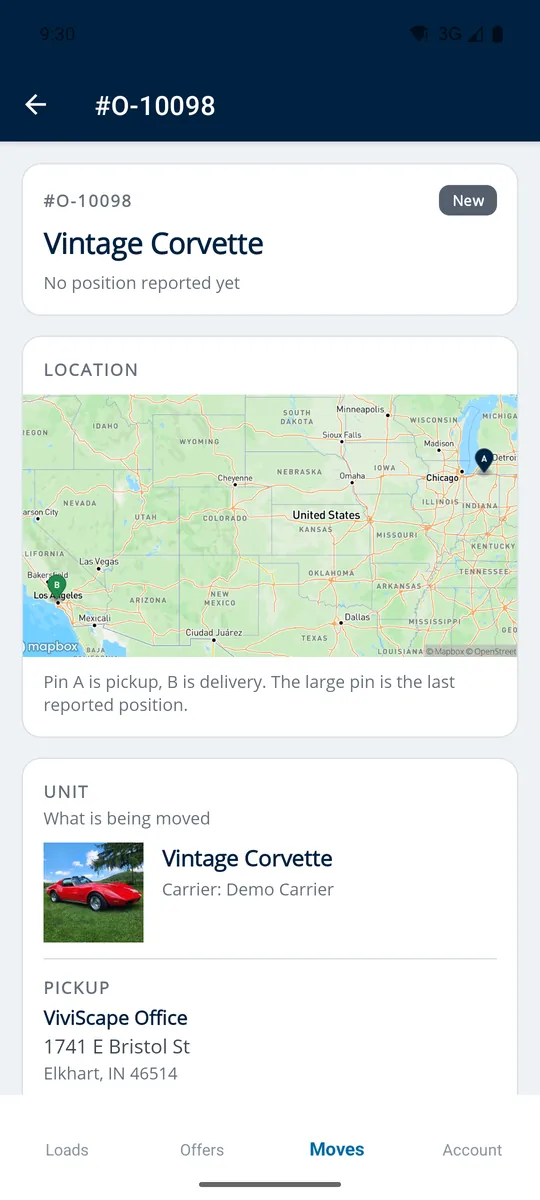
Watch it come home.
- Live dispatch progress on every booked move
- A map with pickup, delivery and the last reported position
- Every leg, the miles, and the driver on it
What lives where
One account, one set of loads. The app carries the yard work; the website carries the money and the settings.
In the app
- Post a load and decode the VIN
- Photos and the DOT inspection PDF
- Offers — accept, counter, decline
- Booked moves and live tracking
On movemytruck.com
- Payments and payouts
- Account and company settings
- Broker facilitation and added services
- The full transaction record
About the mobile app
What is the MoveMyTruck mobile app?
MoveMyTruck for Listers is a free mobile app for the people who post trucks: dealers, fleet owners, leasing companies and anyone who moves units for a living. It covers the three jobs that normally keep you at a desk — posting a load, approving a carrier and tracking the move — so they can be done next to the truck instead.
Is the MoveMyTruck app free?
Yes. The app is a free download and uses the same MoveMyTruck account and the same loads as the website. There is nothing extra to buy to use it.
How long does it take to post a load in the app?
Under a minute in most cases. Type the VIN and the app fills in the year, make, model, weights, axles and brake system. You add photos straight from the camera — the first one becomes the cover carriers see — then set pickup, delivery, contacts and dates in one pass.
Can I upload a DOT inspection from my phone?
Yes. Attach the DOT inspection as a PDF directly from your phone while you are still in the yard, and the load list shows at a glance which units have their paperwork on file. There is no trip back to the office to scan a document.
Can I accept a carrier offer in the app?
Yes. Every offer on every load appears in one list, and you can accept, counter or decline in a single tap. Accepting books the move and notifies the carrier straight away.
Can I track a truck in the app?
Yes. Every booked move shows live dispatch progress plus a map with the pickup, the delivery and the last reported position, along with each leg, the miles and the driver on it.
What can I not do in the mobile app?
Payments, payouts and account settings stay on the MoveMyTruck website. The app is deliberately scoped to the work that happens in the yard: posting, approving and tracking.
Which devices does the MoveMyTruck app run on?
The app runs on Android phones and is available on Google Play; it needs Android 7.0 or newer. An iPhone and iPad build targeting iOS 15 or newer is in App Store review. Until that is live, iOS users can sign in to MoveMyTruck in a mobile browser with the same account.
Put it in your pocket
Post. Approve. Track. Free, and on the same account you already use.
Prefer the desktop? Sign in on the web.